
When I test, I'm usually signed in to several accounts at once: an admin, a regular user, a buyer and a seller, each in its own Chrome profile. The trouble is that a link clicked in Slack, an email or a ticket goes to the default browser, and which account it lands in is down to luck. Open it in the wrong one and you're copying the address, switching windows and pasting it again.
ChooseBrowser fixes exactly that. It's a link router: you write rules, and every link goes to the browser and account it belongs in. It's now on the Mac App Store for US$1.99. One-time purchase, no subscription.
Rules come first
Once ChooseBrowser is your default browser (System Settings › Desktop & Dock › Default web browser), every http/https link on the system passes through it first, and your rules decide where it goes:
- By domain:
gitlab.company.comalways opens in the work account - By wildcard subdomain: everything under
*.staging.example.comgoes to a dedicated testing profile - By path: on the same
github.com,/my-org/*uses the work account and everything else the personal one. Path rules win over domain rules - To a specific account: a rule can point at a browser, or at one particular profile in Chrome, Edge, Brave, Vivaldi or Chromium
- Always ask: some addresses can be set to show the picker every time, so a broader rule doesn't swallow them
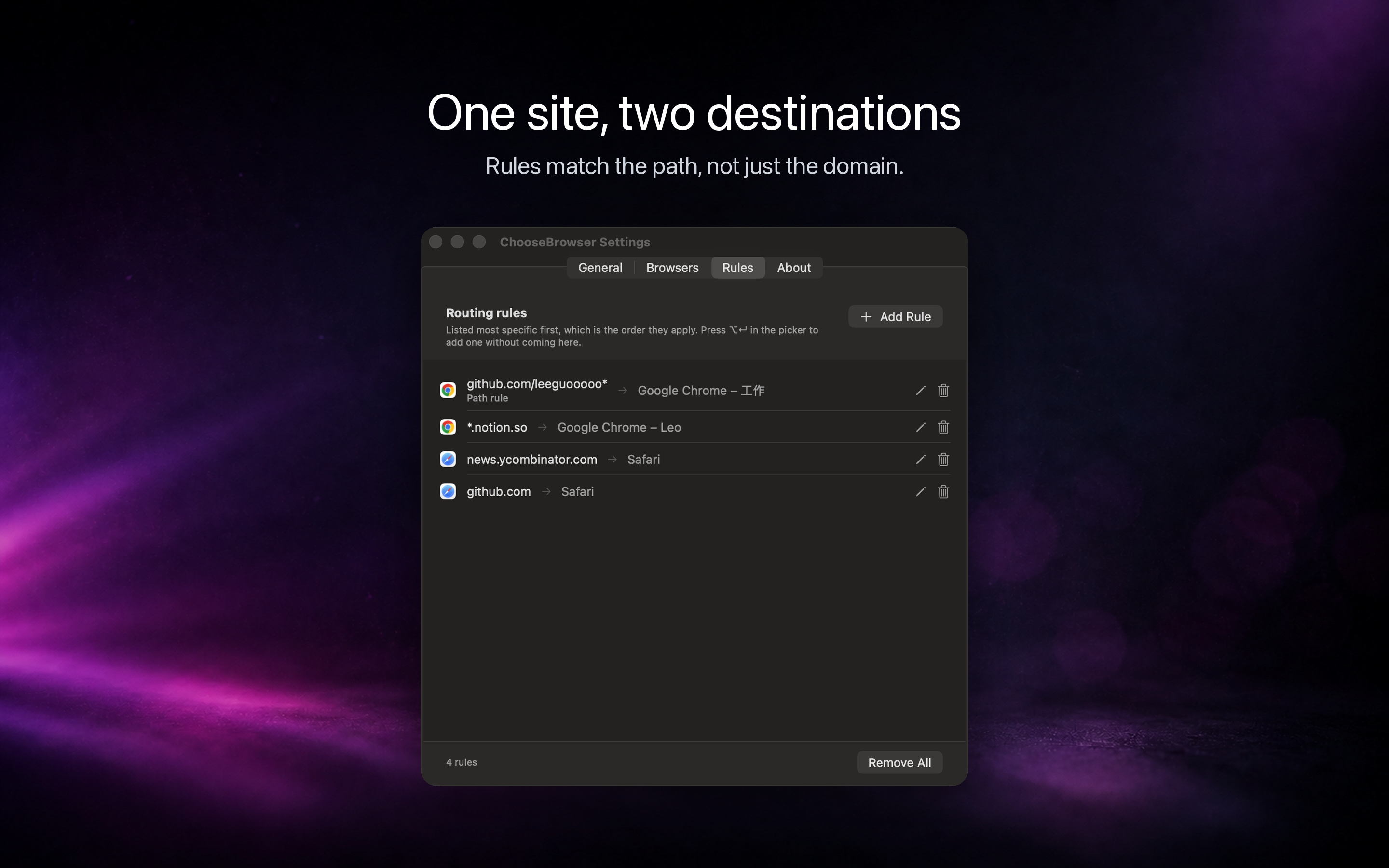
A link that matches a rule opens straight away, with no window. A link with no rule brings up the picker next to your pointer; press ⌘R there to start a rule from that link, and you won't be asked next time. Every rule can be reviewed and deleted in Settings.
You can also set a default destination so unmatched links skip the picker too. When you want to send one somewhere else, hold Option while you click and the picker comes back.
Every account is its own target
Rules can name an account because ChooseBrowser lists each profile of every Chromium-based browser separately, one row per account.
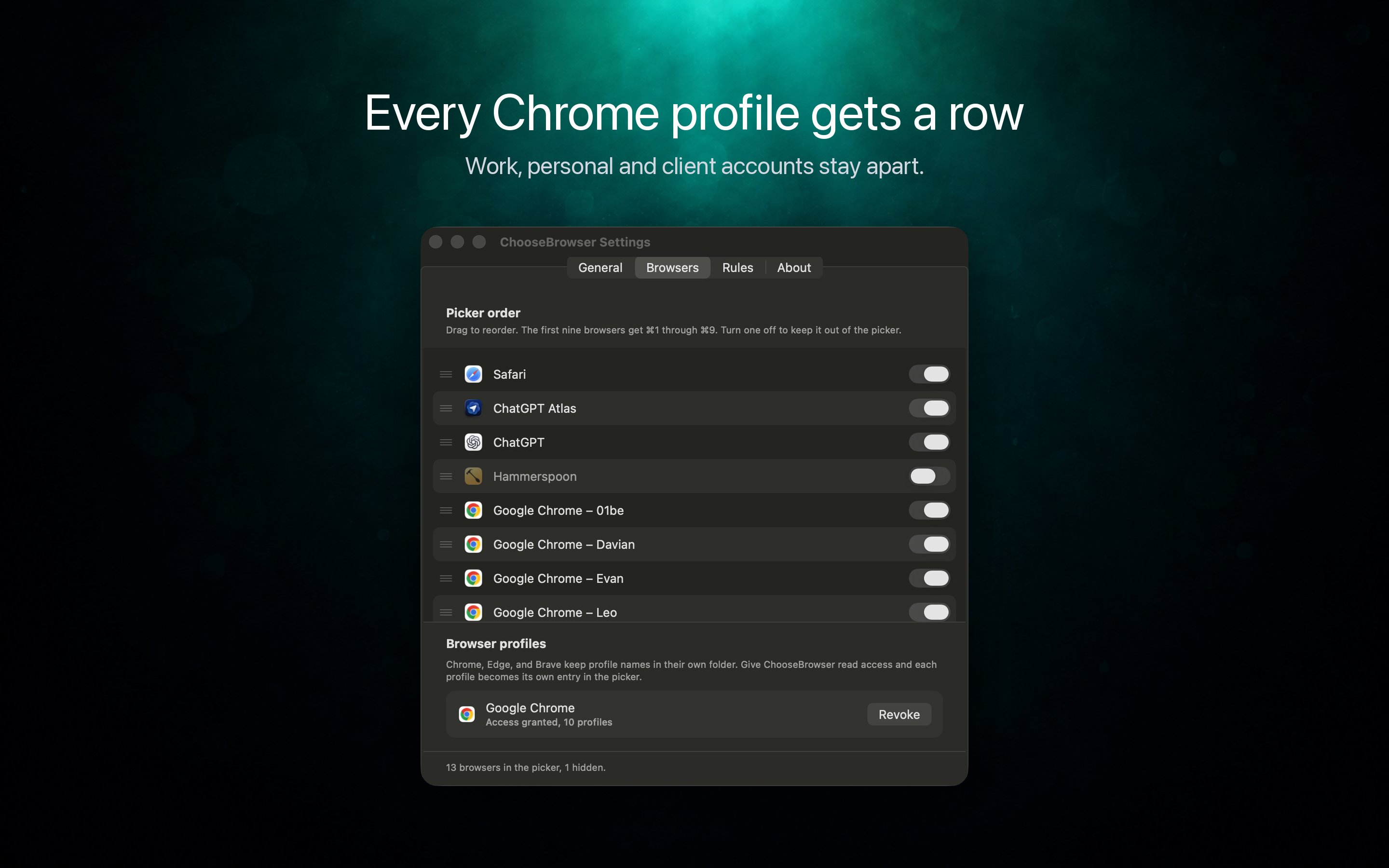
The App Store version runs in a sandbox, so the first time you use this there's a one-off setup to follow on screen: allow ChooseBrowser to read the browser's profile folder, and install a small script it uses to open links in a given profile. After that, there's nothing more to do.
Where it helps
Multi-account testing. Links to the test environment open in the test account, staging in another, the production admin panel in the admin account. When one feature has to be checked as both buyer and seller, write a rule for each path and stop signing in and out.
Keeping work and personal apart. Company GitLab, Jira and docs go to the work profile; your own GitHub and banking go to another browser, so work and personal cookies never mix.
Several clients or teams. One profile per client, a rule per client domain or path, and links land in the right client's account on their own.
Picking by hand now and then. For sites without a rule, the picker appears: Return opens the first entry, ⌘1 to ⌘9 pick by position, ⌘C just copies the link. It also remembers what you chose on each site, moves your usual browser to the top and shows why it's there.
For AI agents: one set of rules shared with chrome-use
chrome-use is our browser-automation CLI that lets AI agents drive the Chrome you're already signed in to. With ChooseBrowser installed, when an agent runs chrome-use open <url> without naming an account, it follows the rule you already wrote in ChooseBrowser to pick the Chrome profile, and says which rule it used:
$ chrome-use open https://github.com/my-org/repo
· using Chrome profile Profile 14 — a ChooseBrowser rule routes this site there
  (github.com|/my-org*). Override with --browser <id|email>, or skip with
  --no-choosebrowser.
So the links you click and the pages your agent opens follow the same rules, and you no longer have to tell the agent which account to use every time. chrome-use only reads the rules and never changes them; pass --browser to pick another account for one run, or --no-choosebrowser to ignore the rules. If the profile a rule names isn't connected to the chrome-use extension, it falls back to its usual choice, so check which account is signed in when it matters.
It works the other way too: when an agent opens a site with --browser set to an account, adding --remember asks ChooseBrowser to send that site to that account from now on. ChooseBrowser shows its own confirmation dialog, naming the tool that asked, and never writes a rule silently. This needs ChooseBrowser 0.2.1 or later.
Privacy
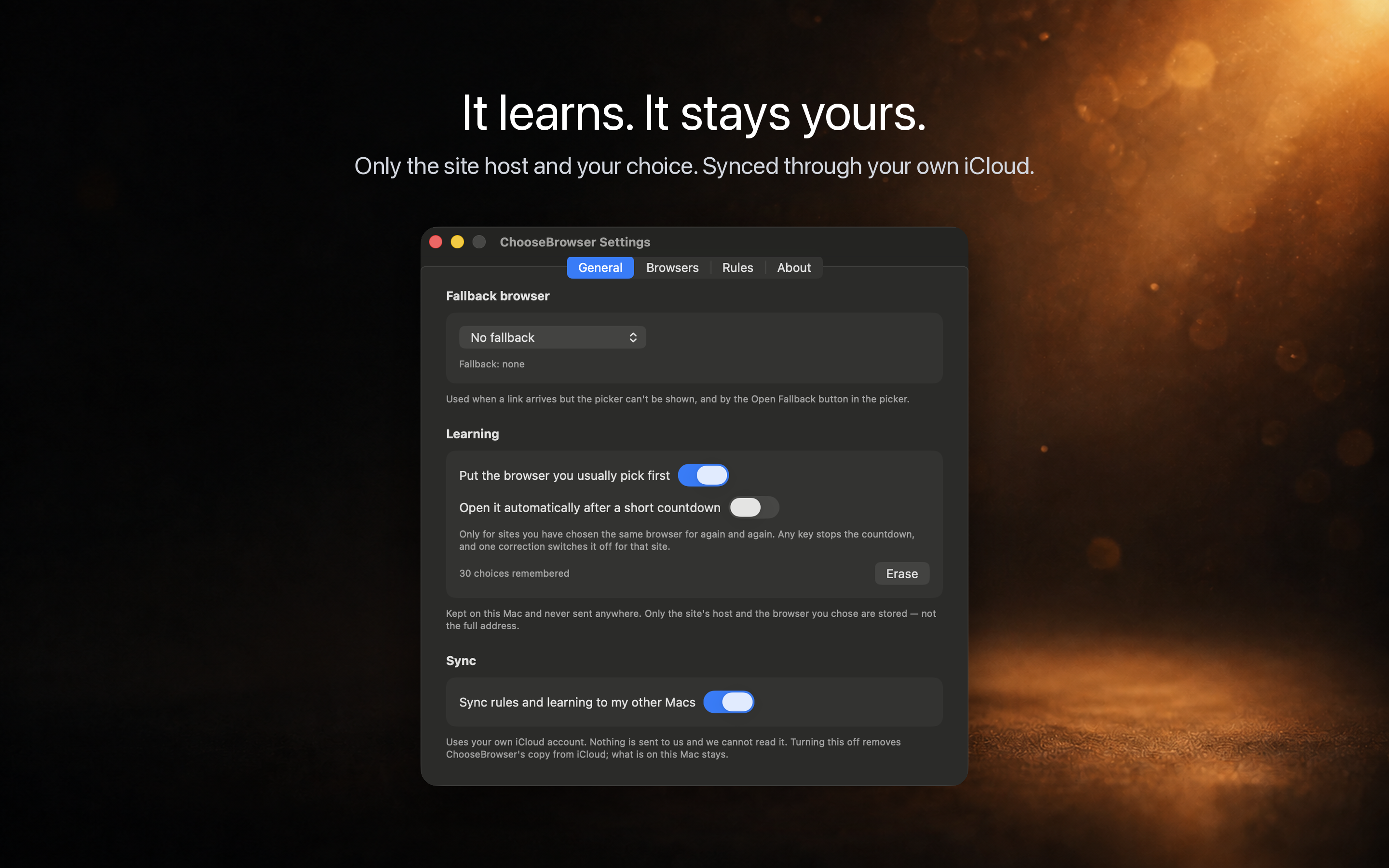
ChooseBrowser has no accounts, no analytics and no tracking. To learn your preferences it keeps only the domain and which browser you picked, never the full address. Rules and preferences stay on this Mac by default; turn on iCloud sync and they reach your other Macs through your own iCloud.
Also
- Once it has handed the link over, ChooseBrowser quits; it doesn't sit in the background
- Drag to reorder browsers, and ⌘1 to ⌘9 follow the new order; hide apps you don't need
- The interface is available in English, Simplified Chinese, Japanese and Korean, switchable in Settings
- Requires macOS 26 or later
Get it
- Mac App Store: US$1.99
- Website: also offers a direct-download .dmg with a free 7-day trial. Buy a licence for US$1.99, one-time
Questions or suggestions? Contact details are on the support page.
 WeChat Pay
 Alipay
Comments
Replies are public immediately and may be moderated for policy violations.