
Backend code has unit tests as a safety net, so changing one line does not feel scary. What about the frontend? In many cases, it is still stuck at the stage of “open the page, click around a few times, and glance at whether it looks right.” Before every release, you manually go through it all again. It is tedious, and it is easy to miss something.
chrome-use has a test command that turns this set of manual actions into a suite that can be run repeatedly and added to CI—effectively writing unit tests for frontend pages. Someone in the group described it after using it as “very useful,” so this article is dedicated to explaining clearly what it is, how it works, and how to use it in practice.
What It Is
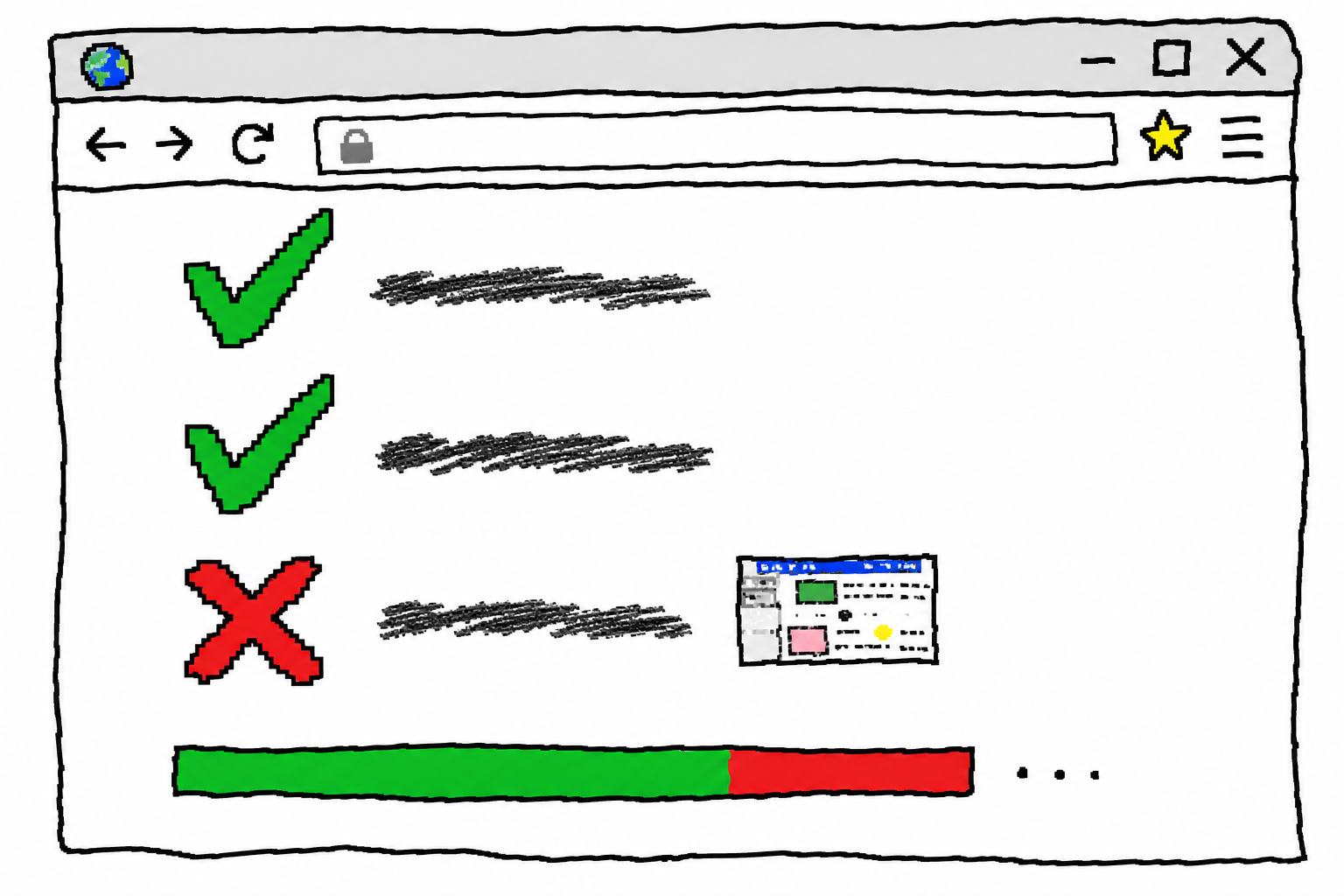
In one sentence: use YAML to describe “which pages to open, what actions to perform, and what the expectations are,” then run everything with chrome-use test suite.yaml; if it’s all green, there’s no problem, and if something turns red, it tells you which assertion failed.
A minimal suite looks like this:
# smoke.yaml
suite: chatgpt smoke
setup:
  - account: chatgpt/huayue          # Optional: inject a saved login session from cookie-use
cases:
  - name: Home page can open with login session
    steps:
      - open: https://chatgpt.com/
      - wait: { load: networkidle }
    assert:
      - url: { contains: chatgpt.com }
      - visible: "#prompt-textarea"
  - name: Input box accepts text
    steps:
      - fill: { sel: "#prompt-textarea", text: "hi" }
    assert:
      - text: { sel: "#prompt-textarea", contains: hi }
      - eval: "!!window.__NEXT_DATA__"
Run it:
chrome-use test smoke.yaml                     # Start an isolated browser and close it automatically when done
chrome-use test smoke.yaml --session default   # Or run directly in the real Chrome you’re connected to
The output is a test report:
suite: chatgpt smoke  (session cu-test)
  ✓ Home page can open with login session   1.2s
  ✗ Input box accepts text                  0.8s
      assert text "#prompt-textarea" contains "hi" → got ""
      ↳ cu-test-artifacts/composer-takes-text.png
2 cases · 1 passed · 1 failed
If one case fails, the exit code becomes non-zero, so you can drop it straight into CI as a gate. Failed cases also automatically save a screenshot of the scene to cu-test-artifacts/, making it easy to look back and see what the page looked like at the time.
Supported step verbs: open, click, fill, type, press, wait, scroll, eval. Supported assertions: url, visible, hidden, text, count, eval. Together, they basically cover the everyday needs of “operate + verify.”
Principle: Why It Can Be So Lightweight
The implementation of test is only a very thin layer; it doesn’t reinvent the wheel by building a separate test DSL engine. Its cleverness comes down to three things.
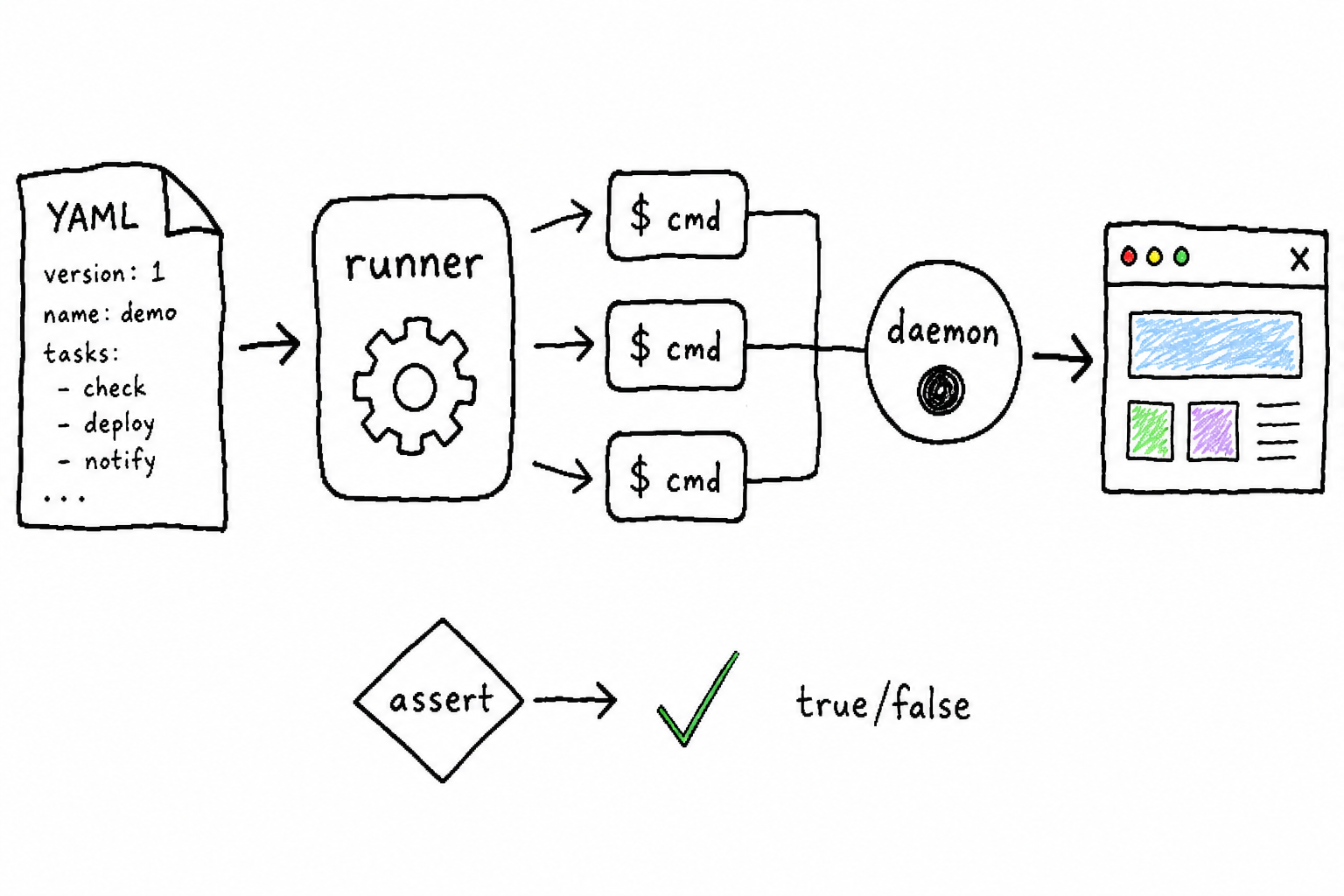
First, every step reuses chrome-use’s own commands. Keys like open, click, and fill in YAML directly map to existing chrome-use subcommands. When the runner reaches a step, it re-invokes the chrome-use binary with that step’s parameters. The benefit is that the semantics of launch mode, daemon, @ref references, and all kinds of flags are inherited exactly as-is, without having to reimplement them in the test layer. Anything chrome-use itself supports can be used in a suite immediately.
Second, assertions are ultimately compiled into a truthy eval. Whether you write visible, text, or count, the runner translates it into a JavaScript expression, sends it into the page for evaluation, and reads back a boolean value: true means pass, false means fail. So the assertion system doesn’t need a pile of specialized checking logic; a single eval channel unifies all checks.
Third, the daemon stays resident, and each step is just one socket round trip. Over the course of a suite run, the browser session is reused: the daemon remains open for the entire session, and each step only sends one command to the daemon and receives the result, so it’s fast and doesn’t restart the browser at every step.
The default behavior is to start a brand-new isolated browser session, the cu-test session, and close it when finished. This keeps every run clean and reproducible, which is suitable for CI. If you want to test under a real logged-in state, --session <name> can attach to an already connected Chrome instance, together with chrome-use extension connect. For sites that require login, add one line in setup: account: <id>, and the saved login from cookie-use will be injected into the test session, so the entire suite runs with that logged-in state.
How to use it in practice
What really makes it valuable is not “writing a huge pile of cases all at once,” but embedding it into what you are already doing:
- Confirm it manually first. Use
open/snapshot/evalto click through the page once, and figure out the selectors along the way: which element, what text, what URL. - Turn it into a case. Put the actions and expectations from above into a YAML test case.
- Run it and check the color. Green means the flow works; red tells you exactly which assertion failed, with a screenshot attached.
- Add another case whenever you hit a regression. Every time you fix a bug, or notice that “this worked last time but is broken now,” add the corresponding case. The suite becomes thicker and more valuable the more you use it.
For scenarios where you often need to verify logged-in state or key flows—whether the homepage opens, whether an input accepts text, whether the checkout flow works end to end—this setup can turn “manually click through everything before each release” into “automatically run it once in CI,” saving the repetitive effort you would otherwise spend on every release.
Multiple Accounts: Switching Back and Forth with cookie-use
Many tests depend on multiple accounts: settings an admin can see should not be visible to a regular member; if user A posts something, can user B receive it? chrome-use test delegates this to cookie-use—a tool that stores login states for different sites in an encrypted local database and lets you reuse them at any time.
In a suite, you can use the line account: <id> to inject a saved login into the test session. There are two places you can write it:
- Put it in
setup, and the whole suite runs as that account. - Put it in the
stepsof a specific case, and it switches to another account when that step runs. The switch takes effect on the nextopen/ navigation in that case. This is the “switching back and forth”: in one suite, one case uses the admin, the next uses a regular member, and the next switches back to the admin.
setup:
  - account: myapp/admin           # Start as the admin
cases:
  - name: Admin can see the settings entry
    steps:
      - open: https://app.example.com/
    assert:
      - visible: "#settings-tab"
  - name: Regular member cannot see it
    steps:
      - account: myapp/member      # Switch to member, then open the page
      - open: https://app.example.com/
    assert:
      - hidden: "#settings-tab"
  - name: Switch back to admin
    steps:
      - account: myapp/admin
      - open: https://app.example.com/
    assert:
      - visible: "#settings-tab"
The prerequisite is that cookie-use is installed and the accounts have been saved into it. If switching fails—the ID is wrong, or cookie-use is not installed—that case fails immediately and explains why; it will not be silently skipped. setup injection has been available since test launched, while switching inside a case was added in v1.5.58.
Current Boundaries
The current version (v1) is still fairly conservative: assertions are evaluated together after all steps have finished. There are no per-case retries, no parallel cases, and no screenshot baseline comparison yet (if you need to compare content, use an eval assertion as a workaround for now). Steps run sequentially; if any step fails, that case fails immediately. These are known boundaries, but they are enough for everyday regression testing.
You can pull the full command reference locally with chrome-use skills get test. The two repositories are: chrome-use at github.com/leeguooooo/chrome-use, and cookie-use, used for multi-account support, at github.com/leeguooooo/cookie-use.
 微信
微信 支付宝
支付宝
Comments
Replies are public immediately and may be moderated for policy violations.