
People often ask: since Playwright, Puppeteer, and browser-use already exist, what different problem does chrome-use actually solve? My answer is that they are really answering two different questions. The former asks, “How do I open a browser with a program?” The latter asks, “How do I let a program use this browser I am already using?” That divide determines what each is good at, and where each one hits its hard limits.
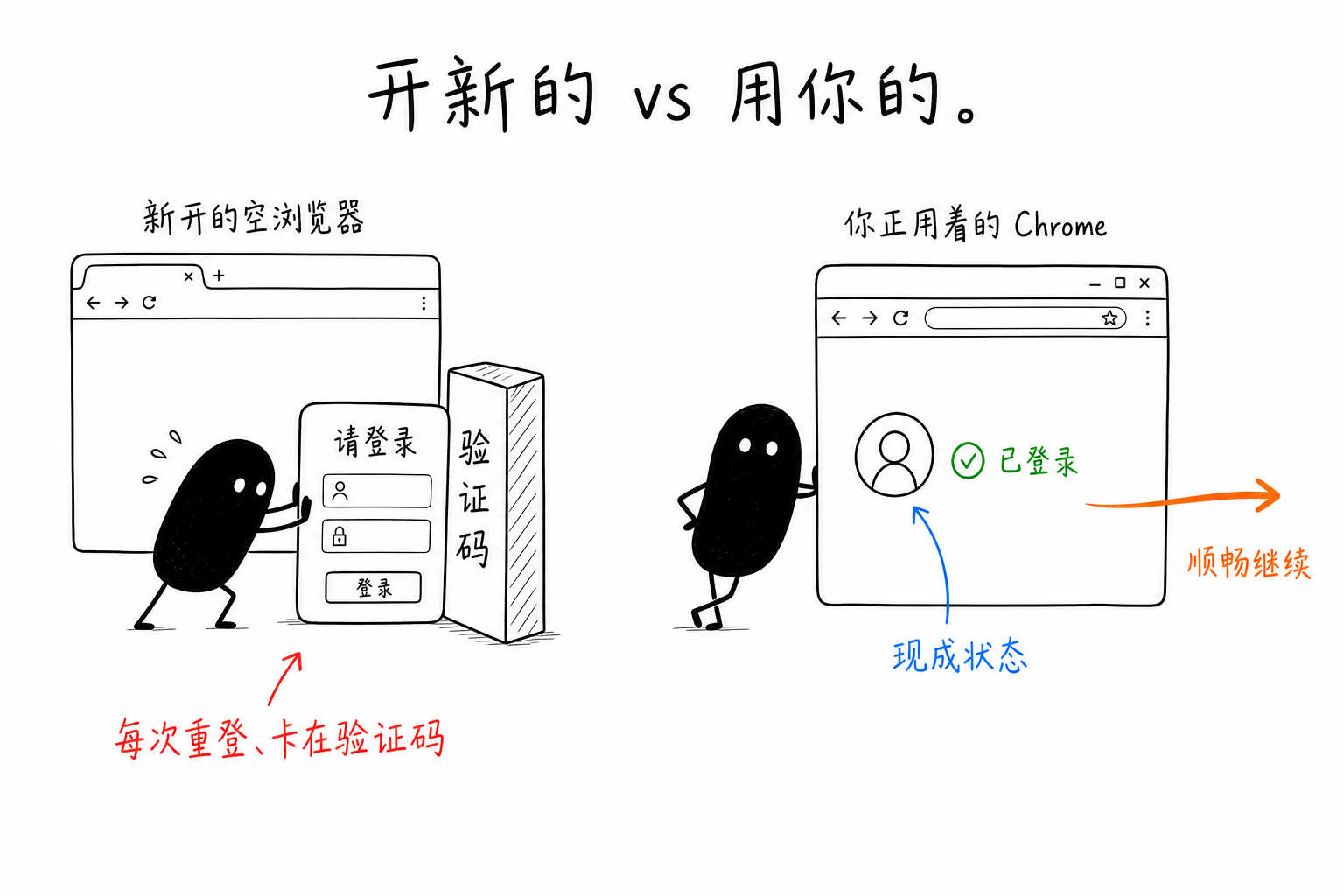
Disposable Browser, or Your Browser
Playwright, Puppeteer, and browser-use start a new process, open a browser with a clean profile, and then control it through the debugging protocol. This browser is disposable: it does not have your cookies, it is not logged in, and once you close it, it is gone. Cookies, fingerprinting, and concurrency are all things you have to manage yourself.
chrome-use does not start a new browser. It connects to the Chrome you already have open at this moment, the one where you are already logged into everything. The connection goes through a browser extension plus native messaging, not --remote-debugging-port.
This may sound like merely a difference in “whose session is being used,” but the consequences go much deeper than that.
A Chain of Linked Differences
Login. If an empty browser needs to access a page behind login, you have to run the login flow in your script, or maintain your own set of cookies: await context.addCookies(savedCookies). You first have to obtain those cookies, and then keep them fresh. With chrome-use, this step is zero: you are already logged in, and once connected, it is already in your session.
Fingerprinting and detection. An empty automated browser carries a whole set of markers: navigator.webdriver=true, headless rendering artifacts, and common Runtime.enable leaks when driven through CDP (rebrowser specifically catches this). chrome-use is your real browser, so these are not present in the first place. In a CreepJS test, it scores 0% as a bot.
That pop-up. Tools that connect to Chrome through --remote-debugging-port trigger a “whether to allow remote debugging” confirmation dialog every time they connect starting from Chrome 136, and the port also has to be opened in advance. chrome-use goes through an extension; after installing it once, there are zero confirmations.
Concurrency. In chrome-use, each --session gets an independent colored tab group. Multiple agents can share the same real Chrome without getting mixed together or taking over your own tabs.
These are not four separate selling points. They are the inevitable chain of results that follows from the choice to “use your browser.”
Bringing It Down to a Real Task
Take a concrete example: exporting data from some admin backend of yours, where the data only loads after clicking through three pages.
With Playwright: launch opens an empty browser, runs login, fills in the username and password, may hit a CAPTCHA and get stuck, waits for JS rendering, paginates, and then extracts. The login and CAPTCHA stages often stop the script at the very first step. With chrome-use: connect attaches to the browser, snapshot -i inspects the structure, and extract turns it into JSON. You are already logged in, and the page is already in your hands, so the first two obstacles simply do not exist.
The hard part is never “extracting.” It is “getting to the point where extraction is possible.” That is also where I draw the line on which one to use.
So Don’t Ask Which Is Better; Ask What You Are Doing
There is no hierarchy between them. They divide the work differently.
If you are running end-to-end tests in CI and need a clean environment, reproducibility, and dozens of parallel browser instances, Playwright / Puppeteer were built exactly for that. Forcing chrome-use into that scenario would be awkward, and you would not want tests running in the browser you use every day anyway. For one-off scripts, if you do not mind logging in again and are not worried about being marked as automation, all three new-browser approaches are fine; browser-use also comes with LLM orchestration. But as soon as a task involves “my login state,” “this site has anti-bot measures,” or “it needs to look like a real person,” the balance tilts toward chrome-use. As for simply wanting Claude to open a browser on its own, Claude’s official Chrome extension is enough; it just only drives Claude. If you want to use it with any agent or your own scripts, that is when chrome-use comes in.
One-sentence takeaway: testing wants a disposable browser, where cleanliness and reproducibility matter most; agent work often wants a browser you are already using, where a real session and not getting blocked matter most. Once you are clear about which job you are doing, the choice stops being confusing.
 微信
微信 支付宝
支付宝
Comments
Replies are public immediately and may be moderated for policy violations.